


Spanish English Translator
4.4162.00 Reviews
App Specs
- Version
- 1.48
- Updated On
- License
- Free
- Downloads
- 500,000+
- Developer
- San Seeen Developers
- Categories
- Education
- Platform
- Android
Screenshots
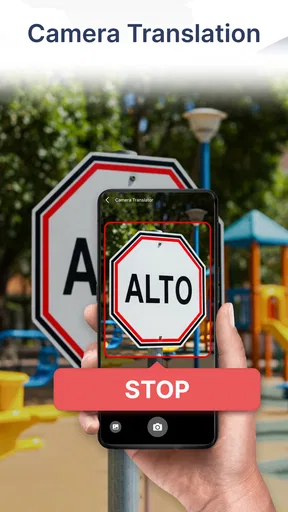
 Analysis by AppCompare
I judge a translator less by how impressive a single result looks and more by whether I can use it without hesitation when a conversation is moving. Spanish English Translator is aimed at that practical moment: a quick phrase, a question from someone nearby, or a word I cannot recall. Its straightforward focus is appealing, though I would treat any translation as a helpful draft rather than a guarantee of perfect meaning.
Trust starts with realistic expectations
San Seeen Developers makes this free education app for Spanish and English translation. It has an average rating of 4.3 from around 586 ratings and more than 500,000 installs, so it has found an audience among people looking for a direct language tool. Those figures can help set context, but they do not tell me whether a particular translation will fit a specific conversation. That still depends on the wording and situation.
The app is marked for Teen users, and its current version is 1.45. It runs on Android 6.0 and later, which makes it an option for people using older Android devices as well as newer ones. I would still check the app’s actual behavior on my own phone before relying on it for an important exchange; compatibility alone does not say how well every device handles speech input or connectivity.
What I can and cannot verify about controls
A translator can handle text people would rather keep private: a message from a landlord, a work note, or a personal conversation. In that setting, I want clear information about permissions, data handling, and account controls before I enter anything sensitive. I don’t assume that a translation app stores or shares text, but I also don’t treat a convenient interface as proof that it does not.
My practical advice is to review the permission prompts on your device and allow only what you need for the way you plan to use the app. If you want voice input, microphone access may be relevant; if you only want to type, consider whether you can use the translator without granting it. Device settings give you a way to revisit permissions later, which is a useful habit for any app that processes personal language.
Choose the right kind of sentence
For a short, direct request, translation tools are at their most useful. “Can you show me the station?” is easier to handle than a long story with several people, implied meanings, or local expressions. I get better results when I enter one thought at a time, keep the wording plain, and check the English or Spanish output before showing it to someone else. That small pause can catch a mistaken name, a changed tense, or a sentence that sounds more forceful than I intended.
I would be cautious with medical, legal, financial, or emergency messages. A quick translation may help me understand the general topic, but a subtle error in a dosage, obligation, or deadline can matter a lot. For those situations, I would seek a qualified person or a trusted human translator rather than treating an app result as the final authority.
Worth Reading Before You Choose

EA SPORTS FC Mobile 26 Is a Bigger Football Game, but It Takes Time

Flipboard Shows What News Apps Must Do Beyond the Feed

Switching to Android Auto Means Rethinking Your Driving Routine

Google Calendar Makes a Crowded Week Easier to Manage

Ludo King Makes the Most of the Minutes Between Plans

Baby Panda World Brings Quick Play to Modern Phones, but Its Game Library Feels Busy
Using Spanish English Translator in everyday situations
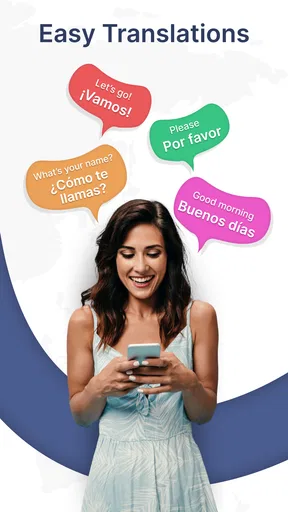
Let's dive into the world of language translation with the Spanish English Translator app. You know, there are tons of translation apps out there, but this one caught my eye for its simplicity and effectiveness. Whether you're planning a trip to Spain or just want to brush up on your Spanish skills, this app could be your new best friend.
First things first, downloading the Spanish English Translator app is a breeze. Available on both Android and iOS, it’s just a quick search away in the App Store or Google Play. Once you’ve got it installed, the interface is clean and user-friendly, which is a huge plus. No one wants to navigate a labyrinth just to translate a sentence, right?
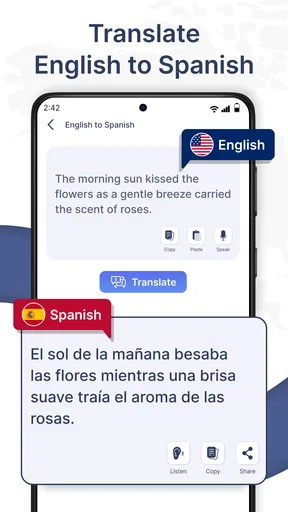
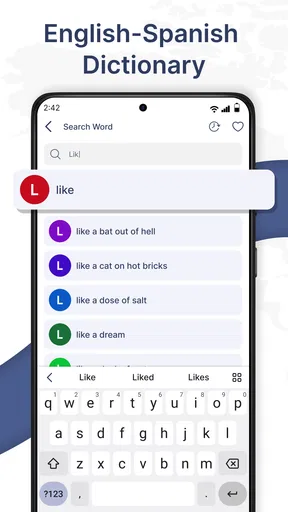
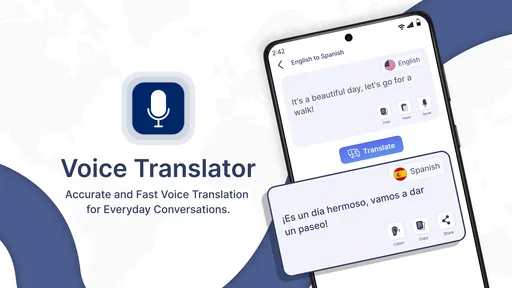
Upon launching the app, you'll notice its sleek design. The main screen is divided into two sections: Spanish to English and English to Spanish. This clear separation makes it straightforward to switch between languages. There's a text box for typing in the words or phrases you want to translate and a microphone icon for voice input. If you're like me and sometimes too lazy to type, the voice feature is a lifesaver.
Features That Stand Out
What makes this app stand out are its real-time translation capabilities. Need to ask for directions or order food in a Spanish-speaking country? Just speak into your phone, and the app translates your words almost instantly. It's like having a little interpreter in your pocket.
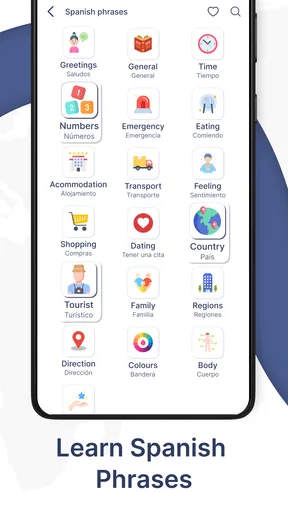
The app also includes a handy phrasebook. This is perfect for those moments when you need quick access to common phrases. Whether it's "Where's the bathroom?" or "How much does this cost?", the phrasebook has got you covered. I found this particularly useful when I was in a rush and needed to communicate efficiently.
Another feature worth mentioning is the offline mode. Yes, you heard that right! You can download language packs for use when you’re not connected to the internet. This is especially useful when traveling abroad and Wi-Fi is scarce.
Using the Translator in Real Life
So, how does the app perform in real-world scenarios? In my experience, it's pretty accurate. I tested it with various sentences and found the translations to be spot on most of the time. Of course, no app is perfect, and there were a few hiccups with more complex sentences. But for everyday conversation, it works like a charm.
The voice recognition feature is impressively accurate. I tried speaking in different accents and speeds, and the app managed to keep up. This is a big win because, let's face it, not everyone speaks in a textbook manner.
Small habits that make translations more useful
When I use voice input, I try to wait until there is a quiet pause before speaking and keep the sentence short. Background chatter, overlapping voices, or a rushed delivery can make a spoken request harder to interpret. If the result looks odd, I switch to typing the key words or rephrase the idea instead of repeating the same sentence louder. The goal is to give the translator a clean, simple message to work with.
There is also a useful learning trade-off here. A phrasebook can help me prepare a few practical lines before heading out, while translating my own sentences can show how familiar words fit together. But looking at the answer alone will not explain every grammar choice or regional variation. I would use the result as a prompt to learn, then check a proper lesson or ask a fluent speaker when I want to understand why one expression is more natural than another.
Where it fits beside other options
Compared with a general-purpose translator, a Spanish-English-focused app can feel less cluttered if those are the only languages I need. Its language direction is easy to grasp, and the described phrasebook and voice workflow suit quick travel exchanges. A dictionary is often a better choice when I need definitions, examples, or a careful distinction between similar words. A language-learning course is better for building a planned routine, while a human interpreter is the safer choice when accuracy has serious consequences.
I would also decide between typing and speaking based on the setting, not just convenience. Typing is quieter and gives me a chance to review the exact words; voice input can be faster when my hands are busy, but it is less suitable in a noisy place or when I do not want to speak personal text aloud. For a café order, voice may be comfortable. For a private message or an unfamiliar name, I would rather type and inspect the result first.
Who will get the most from it
This app makes most sense for travelers, casual learners, and people who have occasional Spanish-English conversations and want a quick starting point. A realistic use is arriving at a bus station, typing a short question about the correct platform, then showing the translated line to a staff member. If the reply is also translated, I would still look for context clues and ask a short follow-up rather than assuming every nuance came through.
It is less suitable for someone who needs dependable interpretation throughout a professional meeting, wants detailed grammar instruction, or regularly translates lengthy documents. In those cases, a specialist tool or a qualified person is a better fit. I would also avoid relying on any translator as the only preparation for travel: learning a few basic phrases and keeping essential information accessible in a form you understand gives you another way to communicate if the phone, connection, or recognition does not cooperate.
Why You Should Download It
If you're someone who frequently interacts with Spanish speakers, or if you're planning to travel to a Spanish-speaking country, this app could be incredibly useful. Its ease of use, coupled with powerful features like real-time translation and offline mode, makes it a worthy addition to your phone.
Another reason to love this app is its potential to help you learn. By using it regularly, you can start to pick up new words and phrases, making it not just a translator but a learning tool as well.
There is one cost detail worth keeping in mind: the app is free to download, with in-app purchases listed at $2.99 per item. I would check what an optional purchase covers before deciding whether it is useful for my own routine. If I only need occasional basic translation, I would first try the free experience; if I use it often, I would weigh any paid item against the specific feature I want rather than assuming it is necessary.
For me, the best way to use this translator is as a convenient bridge for ordinary, low-stakes exchanges, not as an invisible substitute for understanding the language. I would keep sentences short, review sensitive wording, and have a backup plan for moments when nuance matters. Those habits make the app more useful without asking it to do more than a phone translator can reasonably do.
In conclusion, the Spanish English Translator app is a fantastic tool for anyone looking to bridge the language gap. It's not perfect, but it does a great job of making communication easier. So, go ahead, give it a try, and see how it can make your life just a little bit easier.
Pros
- Accurate translations for everyday use.
- User-friendly interface; easy navigation.
- Supports voice input for hands-free use.
- Offers offline translation mode.
- Quick translation speed enhances efficiency.
Cons
- Limited advanced vocabulary support.
- Ads can be intrusive at times.
- No option for regional dialects.
- Requires internet for best results.
- Occasional mistranslations in context.
FAQs for Spanish English Translator
Is the Spanish English Translator app free to use?
Yes, the app offers a free version that provides basic translation features between Spanish and English. However, there may be in-app purchases available for advanced features such as offline translation, additional languages, or ad-free experience. Always check the app store listing for the most up-to-date pricing information.
How accurate are the translations provided by the app?
The Spanish English Translator app uses advanced algorithms to ensure high accuracy in translations. However, like any machine translation, it may not perfectly capture nuanced meanings or idiomatic expressions. For critical translations, it's recommended to cross-check with a native speaker or a professional translation service.
Can I use the app offline?
The app typically requires an internet connection to perform translations. However, some versions may offer offline capabilities through downloadable language packs. Be sure to check the app settings or the app store description to see if offline functionality is available and whether it requires an additional purchase.
Does the app support voice and text input?
Yes, the Spanish English Translator app usually supports both voice and text input. Users can speak or type in the text they want translated, making it versatile for different situations. Make sure your device's microphone is enabled for voice input and check app permissions if you encounter issues.
Is the app suitable for learning Spanish or English?
While primarily designed for translation, the app can be a helpful tool for language learners. It allows users to practice vocabulary and understand sentence structure. However, it is not a comprehensive language learning app and should be used in conjunction with other learning resources for best results.


